

Handling a business tax account is one of the most important responsibilities that businesses and increasingly accounting practices are handling on their behalf. Now, we have come across practices facing challenges while handling business tax accounts. Let us share one of those experiences of an accounting practice.
An accounting practice had recently onboarded a fast-growing retail client. Its sales were going up through multiple channels but when HMRC started sending notifications for VAT submissions and tax obligations the client panicked.
Despite handling the client’s compliance, the practice faced challenges. The client had been registered for VAT but the team was unsure where to track its submissions. All the alerts related to PAYE, corporation tax deadlines, and MTD requirements were coming but across different systems.
The issue wasn’t a lack of technical knowledge but a lack of understanding of how to manage everything through the HMRC business tax account. For your practice, this is both a challenge and an opportunity.
Your clients will need guidance on:
- Setting up their HMRC business tax account
- Managing taxes digitally
- Complying with Making Tax Digital
- Avoiding penalties
In this guide, we’ll explain everything you need to know about the tax account, including how to set it up, how to use it, and how third-party expertise will help you in managing the business tax account efficiently.
What is a Business Tax Account?
Business tax account is HMRC’s online service that businesses like sole traders and limited company owners can use to manage taxes such as VAT, PAYE, corporation tax, and Self-Assessment in one place. Consider it as a central dashboard for all business tax activities.
Using a business tax account, your clients can:
- Submit VAT returns
- Manage PAYE payroll obligations
- Review the corporation tax details
- View payment history
- Track tax liabilities
- Update business details
This system is designed to simplify tax management for businesses while supporting HMRC’s transition toward fully digital tax reporting. As the UK government continues expanding Making Tax Digital, the business tax account will play an even bigger role in managing compliance.
HMRC Business Tax Account: What Can You Manage Through It?
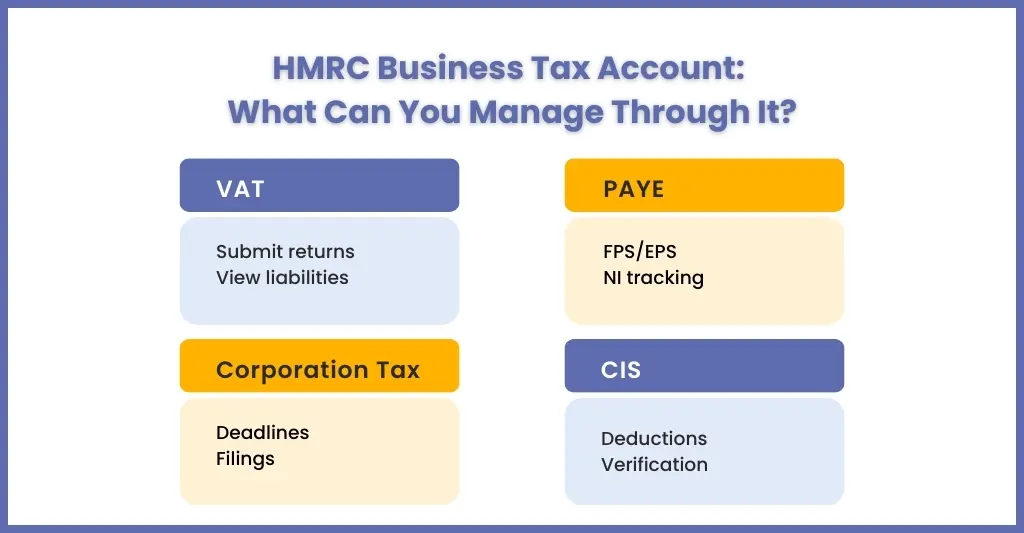
Business tax account acts like a control panel through which your clients can manage multiple tax services.
VAT
Those businesses registered for VAT can:
- Submit VAT returns
- View VAT liabilities
- Check payment history
- Register for Making Tax Digital for VAT
- Manage VAT certificates and correspondence
PAYE for Employers
For clients, employing staff can manage payroll tax obligations, such as:
- Submit payroll information (FPS/EPS)
- View employer liabilities
- Manage PAYE and National Insurance
- Check tax code notices for employees
Corporation Tax
Limited companies can use the tax account to:
- View corporation tax records
- Track corporation tax payment deadlines
- Submit tax filings
Self-Assessment for Partnerships
Partnership businesses can manage tax obligations and submit self-assessment tax returns digitally.
Construction Industry Scheme (CIS)
Construction businesses can handle:
- Contractor registrations
- CIS deductions
- Payment verification
How to Register for a Business Tax Account with HMRC: Step-by-Step
In order to use a business tax account, you will need to register with the HMRC. Here is a step-by-step guide to help your clients set up their accounts.
1. Prepare Information
Before your client sets out to open their account, make sure they have all the required information, such as:
- Their Government Gateway User ID and password, if not, then create one during the process.
- Business details, including the Unique Taxpayer Reference (UTR) number if your client is a sole trader or a limited company.
- National Insurance number for sole traders
- Company registration number, if applicable
- VAT registration number, if applicable
2. Create a Government Gateway account
To create a government gateway account, your client will first need to go to the HMRC website and do the following:
- Click on “Create sign-in details.”
- Provide your client’s email address, and the client will receive a confirmation code
- Enter the code, then create a password and a recovery word
- The Government Gateway user ID will be sent
3. Register for HMRC Online Services
Once logged in, your client will need to select the appropriate service, such as self-assessment, corporation tax, PAYE for employers or VAT. Your client will need to follow the instructions to register their business for the chosen service, and they will have to enter their business details.
4. Activate your account
Once your client gets the activation code it can log into their HMRC account using their government gateway ID. Enter the code to complete the setup, and now your client will have access to their tax account and the specific service they have registered for.
5. Link Additional Services (if needed)
If your client needs additional services then it can add them through the account by selecting the service from the menu and following the registration process.
6. Manage the Account
Now your client can manage its taxes, submit returns and view their accounts details through the HMRC online portal. They can also appoint you to handle their business tax account by authorising your accountant to manage their tax affairs through their account. They will only have to provide you with their agent reference number.
Business Tax Account vs Personal Tax Account: Key Differences
Many of your clients get confused between business tax account and personal tax account. Both are important but serve different purposes.
| Feature | Business Tax Account | Personal Tax Account |
| Used by | Businesses | Individuals |
| Taxes managed | VAT, PAYE, Corporation Tax, CIS | Income tax, self-assessment |
| Login | Government Gateway | Government Gateway |
| Purpose | Manage company taxes | Manage personal taxes |
A tax account is essential for managing corporate and employer tax responsibilities.
How to Log In to Your HMRC Business Tax Account and Fix Common Login Problems
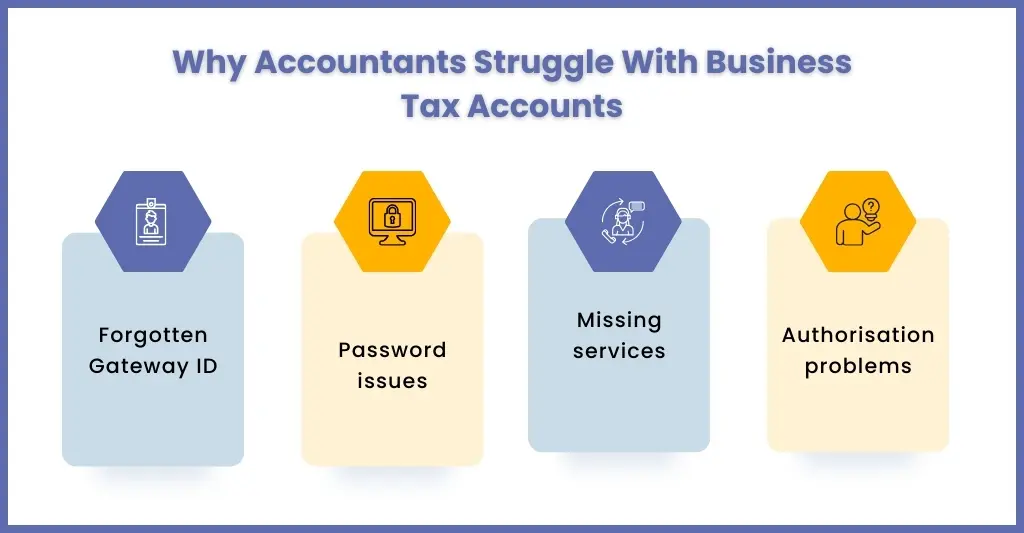
For your client to access business tax account it must log in through the HMRC portal using their government gateway credentials. The same is applicable for your authorised accountants.
However, login issues are common. Some of those issues are:
Forgotten Government Gateway ID
Loss of login ID is a common issue and HMRC allows recovery of it using email verification.
Incorrect Password
Password errors keep happening very often and users can rest their passwords through HMRC password recovery process.
Missing Services in the Dashboard
Sometimes tax services don’t appear automatically. This usually happens when services were not linked during registration. Users must manually add them within the account.
Authorisation Issues
Sometimes, even after authorisation, accountants are unable to see their client’s data. It is important for your clients first to create the tax account and give an access request through it.
Business Tax Account and Making Tax Digital: What You Need to Know
The business tax account is closely linked with HMRC’s Making Tax Digital initiative.
The MTD initiative has made it compulsory for your clients to:
- Maintain their records in digital format
- Submit tax returns through approved software
- Maintain accurate financial data
The tax account acts as the central portal connecting businesses with MTD-compliant software. Currently, all VAT registered UK businesses have to submit their VAT returns using MTD-compatible systems. In April 2026, MTD’s digital reporting requirements will be expanded for income tax and in future on corporation tax.
Here, your role becomes critical in guiding your clients towards MTD-compliance and operating their business tax accounts.
What Happens to Your Business Tax Account When You Close Your Business?
Once your client stops its business, the business tax account will not go away automatically. You will need to follow several steps for it to close down.
Notify HMRC
Start by informing the HMRC of your client’s business closure.
Submission of Final VAT Returns
Once the HMRC get the closure information, it will look at your client account for any pending VAT and corporation tax returns which must be submitted before the account is closed.
Payment of Outstanding Liabilities
All outstanding liabilities must be paid by your client immediately and only after that HMRC will initiate the closing of the business account.
Deactivation of the Account
Once all the payments are made, HMRC makes the update on the business tax account and starts the procedure to deactivate.
People Also Ask
What is a business tax account?
A business tax account is HMRC’s online dashboard that allows sole traders and limited company owners to manage taxes such as VAT, PAYE, corporation tax, and Self-Assessment in one place.
How long does it take to set up a Business Tax Account?
Setting up a business tax account typically takes a few minutes online, but verification codes sent by HMRC may take several days to arrive by post.
What is the difference between a Government Gateway and a Business Tax Account?
A Government Gateway ID is a login ID used to access HMRC services, while the business tax account is the dashboard where businesses manage their tax obligations.
Is a Business Tax Account free to use?
Yes. HMRC provides the business tax account free of charge. Businesses only pay for taxes owed, not for using the portal.
What is the difference between a personal tax account and a business tax account?
The Personal Tax Account manages your clients individual tax affairs, while the Business Tax Account handles all their business tax obligations.
Conclusion
The business tax account is the central hub for practices to manage their clients’ business tax obligations. With HMRC actively expanding the digital reporting requirements through Making Tax Digital initiatives many businesses have understood that they need to handed their business tax accounts properly.
However, that’s easier said than done due to the complexities involved, making the assistance of expert accounting practices important. But now even practices are in need of assistance in handling business tax account due volume of digitisation and added complexities.
For these reasons many practices are relying on experienced outsourcing accounting partners like Corient to manage:
- Tax filings
- HMRC compliance
- VAT submissions
- Payroll tax obligations
- Digital tax reporting
By combining accounting expertise with efficient digital systems, Corient has helped UK accounting practices navigate HMRC requirements with confidence.
Are you looking to streamline compliance and reduce the pressure on your clients? Corient should be your first choice. Use our contact form to explain your requirements in detail.
