

Are you finding it tough to setup MTD for VAT with HMRC? Compliance with the Make Tax Digital (MTD) regime has become a daily affair for UK-based accounting practices. Since it became mandatory for all VAT-registered businesses in the UK, it important to know to setup smoothly. After all, MTD is a government initiative to digitise the entire UK tax system and improve overall compliance.
Therefore, under this initiative, every aspect of the UK tax system is being incorporated in a phased manner, with MTD for VAT being fully implemented. MTD for income tax and corporation tax will be implemented in the near future. For now, let’s understand what it means for your practice and your clients.
What is MTD for VAT?
MTD for VAT is a digitisation initiative of the UK government. Hence, the goal is to completely digitise the VAT records and eliminate manual intervention in tax returns, thus curbing human errors.
As of April 2022
- All records must be stored in digital format to be MTD-compliant.
- VAT returns will be filed only through an MTD-compliant software that integrates with HMRC’s API platform.
Since all VAT-registered businesses are required to enrol in MTD. Therefore, we have taken the initiative to make the process easier by listing the steps to follow.
Essential Steps to Set Up MTD for VAT with HMRC
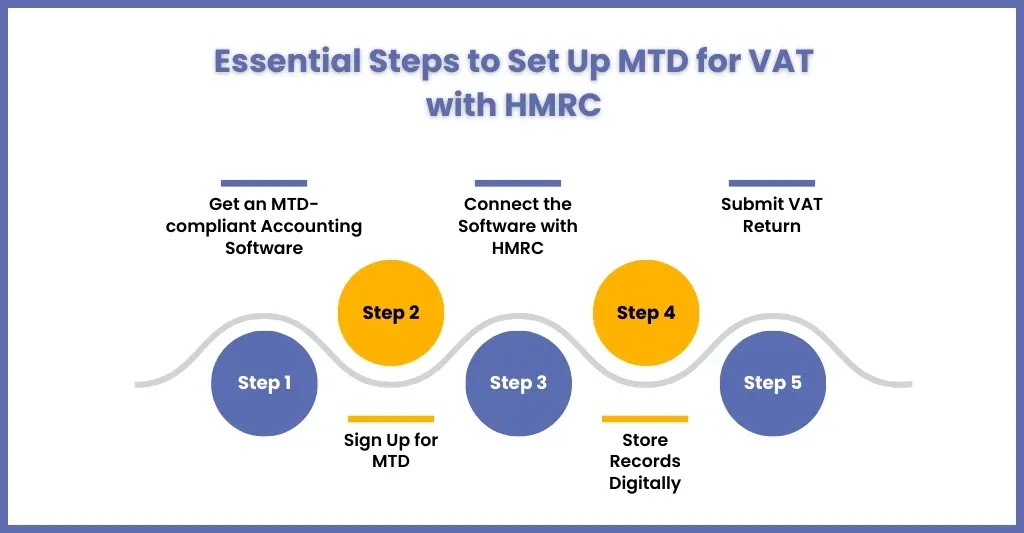
Step 1: Get an MTD-compliant Accounting Software
Using an MTD non-compliant accounting software is one of the common mistakes clients make. Hence, as a practice handling your clients’ VAT, it is your responsibility to use MTD-compliant software such as QuickBooks, Xero, or Sage.
These software will be used to store VAT records in digital format and to submit them to HMRC.
Step 2: Sign Up for MTD
If your client is a newly registered business, then it must be signed up for MTD during the VAT registration process.
If your client was previously below the £90,000 threshold and has just opted in, or was previously exempt, you will need to sign them up on GOV.UK website.
Hence, for registration, you will need to go to the GOV.UK website and add details of your clients, like
- Government Gateway user ID and password
- VAT registration number
- Business email address
- National Insurance number (for sole trader)
- Company Registration Number and Unique Taxpayer Reference (UTR) (for limited company)
Step 3: Connect the Software with HMRC
Once the MTD-compliant best accounting software is in place, you will need to authorise it to communicate with the HMRC system.
Step 4: Store Records Digitally
All VAT-related records must first be verified with your clients and stored in a digital format. This includes records like business name, address, VAT number, the VAT accounting schemes you use, and detailed records for all sales and purchases (time of supply, net value, VAT rate, and VAT charged/claimed).
Step 5: Submit VAT Return
Once the software is set up and records are digitised, you can submit VAT returns before deadline directly to HMRC through the software. After that, your software should confirm a successful submission.
FAQ Related to MTD for VAT
Do I need to register for MTD with HMRC?
All VAT-registered businesses in the United Kingdom are required to register for MTD. They can file their VAT returns online only through MTD-compliant software.
Can my accountant set up MTD for VAT on my behalf?
Yes, an accountant or an accounting outsourcing service provider with experience and MTD-compliant software can do MTD VAT setup and submissions on your behalf.
What happens if I don’t set up MTD for VAT correctly?
Incorrect setup or non-compliance can lead to rejected VAT returns, late filing penalties, and interest charges.
What software do I need to set up MTD for VAT?
To do it, you will need to use MTD-compliant accounting software. Such software will keep all the records in digital format, and through it you can submit to the HMRC.
Conclusion
This blog has helped you in making your clients aware of the importance of being VAT MTD-compliant. Also, the step mentioned above for setting up will enable you to register your clients quickly without further delay.
Hence, if there is any confusion, you get assistance through VAT outsourcing services of experienced service providers like Corient. To elaborate on your requirements, use our contact form, and our executive will contact you soon.
