
For UK accounting practices, the best accounting software is the one built for volume: IRIS, CCH and Digita are designed around practice management and multi-client workflows, while Xero and QuickBooks remain strong choices for the smaller clients sitting inside a larger portfolio. All of them should offer MTD-compatible VAT filing, bank feed integration and strong data security before anything else.
Is selecting the best accounting software confusing, especially when you have multiple great choices? Welcome to the dilemma faced by many accountants in the UK. Forget about doing away with payroll software; it has become necessary, and without it, no accounting task can be completed quickly and accurately. With so many choices, it is natural to get confused as to which one is the best, and that’s where many selection mistakes occur.
Getting the wrong accounting software will only multiply your problems and reduce your efficiency, thus creating problems for your clients. To fix this problem faced by countless accounting practices in the UK, we have elaborated on the pros and cons of accounting software and things to consider while choosing one.
Key Takeaways
- Accounting software isn’t optional for UK practices anymore — it’s what makes MTD-compliant VAT filing and digital record-keeping possible.
- For large practices managing hundreds of clients, IRIS, CCH and Digita are built for that scale, with centralised practice management and multi-client workflow tools that Xero, QuickBooks and Sage don’t fully replicate.
- Data security, bank compatibility and ease of use matter as much as features — check these before comparing price.
- 47% of UK accountants already use fully cloud-based software, with a further 34% running a mix of cloud and on-premises (Wolters Kluwer, May 2025).
- 86% of mid-tier UK firms now have a technology strategy that explicitly includes AI adoption (ICAEW, May 2026).
Why Is Accounting Software a Must-Have Tool for Accountants?
It’s a must-have because it’s what lets a large practice handle rising client expectations and compliance demands across hundreds of files without adding headcount for every extra client. The UK accounting field has become complex, and client expectations have also risen, thus increasing the pressure on accountants. They will require tools for streamlining workflows, minimising errors, and increasing productivity. Accounting software is an asset that helps handle high volumes of financial tasks with accuracy and efficiency.
Accounting software is not a luxury but an absolute necessity for accountants; why?
- Streamlines bookkeeping and tax compliance
- Offers real-time financial insights
- Reduces error and increases accuracy
- Enhances collaboration and accessibility
- Time and cost savings
- Scalability
- Security of financial data
- Integrates well with other tools
This shift is well underway: a Wolters Kluwer Future Ready Accountant Report found that 47% of UK accountants already use fully cloud-based software (SaaS), with a further 34% running a mix of cloud and on-premises systems (Wolters Kluwer, May 2025). Separately, ICAEW’s 2026 Evolution of Mid-Tier Accountancy Firms research found 86% of participating firms now have a technology strategy that explicitly includes AI adoption (ICAEW, May 2026) — a clear signal that software choice is no longer a back-office decision but a strategic one.
What Are the Pros and Cons of Using Accounting Software?
The main upside is accuracy and speed at scale; the main downside is cost and the security responsibility that comes with storing client data externally.
Pros of using accounting software
- Accurate Financial Processing
Accounting software will maintain complete accuracy and avoid the mistakes that occur during manual processing.
- Digital Record Keeping
All your client’s financial transactions will be automatically recorded in digital format. These records can be used to reference or prepare critical financial reports.
- Reports and Analysis
Accounting software will enable you to prepare insightful and eye-catching data visualisations in the reports.
- Flawless Integration
The best accounting software flawlessly integrates with international banking systems, allowing transactions to be processed easily.
- Boost Efficiency and Productivity
Automation allows accountants to focus on other commitments requiring more expertise and workforce.
Cons of Accounting Software
- High Cost
Buying the best software will be more expensive than doing it manually.
- Difficulties in Operating
Transitioning from manual operations to automated software can be difficult if you have not prepared adequately.
- Threats of Cyber Theft
Your client’s sensitive information will be stored in external servers, thus exposing it to threats of data theft and breaches.
- Unsatisfactory Customer Service
When a malfunction happens, assistance might not be available to solve your issues in a timely manner.
You can counter all the above cons by choosing the right software after considering your requirements accurately. You can also use the outsourced accounting services offered by service providers.
Quick reference:
| Pros | Cons |
| Accurate, automated financial processing | Higher cost than manual bookkeeping |
| Digital record-keeping and audit trail | Learning curve when switching from manual systems |
| Built-in reporting and data visualisation | Client data held on external servers — a security responsibility |
| Bank and third-party integrations | Support response times vary by provider |
What’s the Best Accounting Software for UK Accountants?
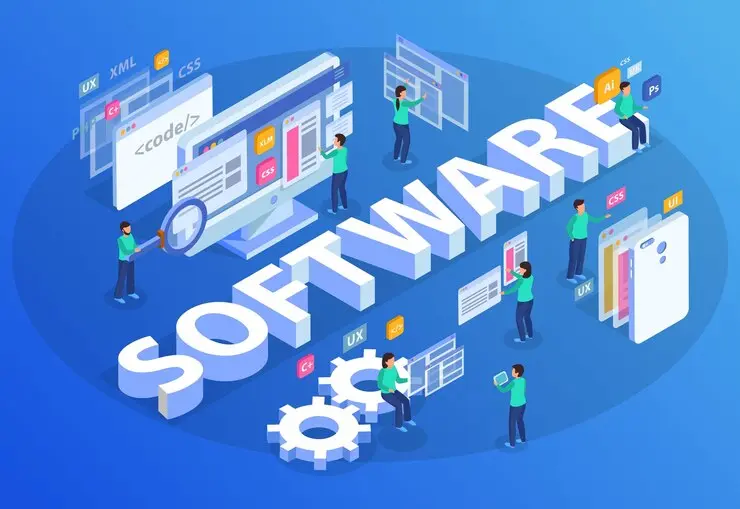
For a large UK practice, the realistic shortlist is IRIS, CCH or Digita for firm-wide practice management, with Xero, QuickBooks or Sage handling the day-to-day bookkeeping of individual clients within that portfolio.
Sage
Being a cloud-based accounting software makes Sage unique making it popular among small businesses, freelancers, and sole traders managing their own finances. Since it is a cloud-based software, installing Sage on your system is not required. A few of the Sage features are:
- Creating invoices and sending them to customers along with tracking payments
- Managing and tracking inventory
- Getting real-time financial reports
- Automated bank reconciliation
- Data entry
- Sending estimates and quotes
- Submitting online tax returns
FreeAgent
FreeAgent is a cloud-based software that is best recommended for businesses that manage their finances independently. Accountants and bookkeepers widely use it. It has been awarded the Excellence Accounting Award for Small Business Software. The best features of FreeAgent Software are:
- Helps in monitoring cash flows, recording expenses, and sending invoices.
- Filing of SA Tax returns, VAT returns
Xero
Xero also offers cloud-based accounting software, which helps with management. It provides the leverage of choosing cash or accrual-based accounting.
- Bookkeeping
- Invoicing
- Payroll
- Automating bank feed
- Recording expense claims
- Bank reconciliation
Xero also provides standard business and management reporting and helps users make end-of-year tax returns.
QuickBooks
QuickBooks is also a cloud-based accounting software and is specifically packaged for small businesses, and it has access to over currencies. It is also available in different languages and has over 200 banking and app integrations. QuickBooks helps with managing financial transactions such as:
- Invoicing customers
- Paying bills
- Generating reports
Some other features offered by QuickBooks are:
- Tracking income, expenses, GST, and VAT
- Bank transaction integration.
- Managing payments and budgets
- Capturing receipts and tracking projects
- Multi-currency support
- Automating accounting tasks such as bookkeeping, invoicing, time tracking, expense tracking, and inventory tracking
IRIS
IRIS is a global software group offering software and services for accounting firms, including practice management, document management, HR, and payroll management. This software is specially designed to help accounting firms manage three areas in particular:
- Practice management: They can manage clients, teams, engagements and reporting
- Document management: They can work, store and share documents with clients and teams.
- HR and payroll management help reduce administration work, simplify reporting, ensure compliance and guarantee accurate employee payments.
In addition, IRIS offers AI-based accounts payable automation software, which captures invoice information and integrates with other popular accounting systems.
Digita
Digita provides the software and services in the form of Digita Professional Suite. This suite has an integrated tax and accounting solution that helps in automating simple compliance tasks. Some of the products provided by Digita are:
- Digita Company Secretarial software that allows UK accountants to detect potential fraud and generate annual returns.
- Digita Accounts Productions helps with the two-way data sync with Xero software, saving time and boosting efficiency with the integrated financial reporting and bookkeeping workflow.
- Hosted virtual office for accountants helps you and your staff with the freedom to access the software from any location.
CCH
Commerce Clearing House (CCH) provides the accounting, audit and tax software. The variety of the products provided by CCH includes:
- CCH Accounts Production, through which you can automate the entire accounts process right from data entry to online filing. This software integrates with CCH central, QBO, Xero, CSV, FreeAgent, Sage, Sage Cloud, Exact, CCH OneClick, and Twinfield.
- CCH Audit Automation software covers the entire audit process from engagement to sing-off. It displays the summaries of all the tests, checklist questions, and the list of documents to review.
- CCH ProSystem fx Suite is their award-winning software, which includes tax, accounting, audit, and workflow tools.
- CCH also provides payroll resources, which helps in managing payroll details and complies with the laws.
Taxcalc
TaxCalc software application is designed to simplify the calculation and tax filing process of individuals and businesses. This software is completely user-friendly with comprehensive features and is easily adaptable to different tax systems, particularly in the UK.
BrightPay
BrightPay is cloud-based payroll software that helps accountants, bookkeepers, and payroll bureaus in managing their clients. This software helps automate various tasks and reduce processing time. Some of the features of the BrightPay software are:
- Accounting integration
- Batch payroll processing
- Online client portal
- Migration Assistance.
Quick comparison of the software covered above:
| Software | Best for | Notable strength | Deployment |
| Sage | Sole traders and freelancers | Simple invoicing and reconciliation | Cloud |
| FreeAgent | Small businesses managing their own finances | SA and VAT return filing | Cloud |
| Xero | Practices wanting cash or accrual accounting | Bank feed automation | Cloud |
| QuickBooks | Multi-currency, multi-language clients | 200+ banking and app integrations | Cloud |
| IRIS | Practices managing many clients at once | Practice management + AI accounts payable | Cloud/on-prem |
| Digita | Practices wanting Xero-integrated tax workflow | Company secretarial + fraud detection | Hosted |
| CCH | Firms needing accounts, audit and tax together | Broad third-party integrations | Cloud/on-prem |
| TaxCalc | Individuals and businesses filing UK tax returns | UK tax-system specific | Desktop/cloud |
| BrightPay | Payroll bureaus and bookkeepers | Batch payroll processing | Cloud |
What Should You Consider When Choosing Accounting Software?
The shortlist that matters most is fit with your requirements, data security, bank compatibility, ease of use and whether it’s cloud-based. It is important to avoid making rash decisions and select the best accounting software by considering certain points. These points are as follows:
See Whether It Can Meet Your Requirements
First and foremost, see whether the accounting software can perform general accounting functions such as recording orders, transactions and generating reports. Always select software that is suited for your client’s industry and can fulfil your requirements.
Data Security
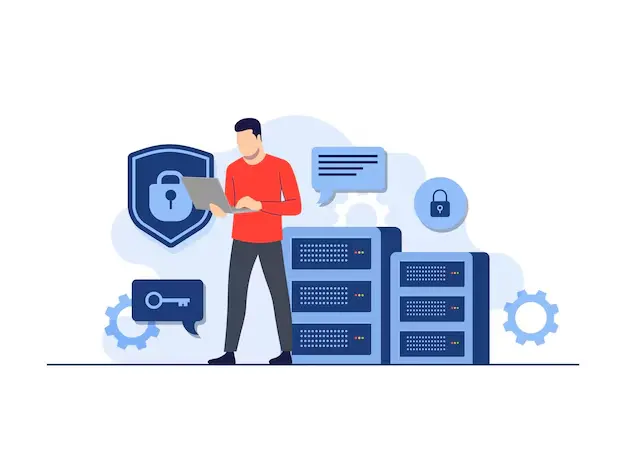
Check the accounting software’s data security protocols before selecting; after all, you will be giving access to your client’s sensitive information. Nowadays, software has backups to save sensitive data and reduce physical hazards. Also, certain professional software has started investing in multiple authorisations for data access to prevent data leakage.
If the software is used to keep VAT records or file returns, it also needs to appear on HMRC’s list of software compatible with Making Tax Digital for VAT — checking this list before onboarding a client onto new software takes a few minutes and avoids a failed submission later.
Bank Compatibility
You must choose software that integrates well with your bank or your clients. Otherwise, you will have to change the bank according to the software requirement.
Ease of Use
Always select software that is easy to understand and quick to train on. This will make your accounting task much easier. If you are still finding it difficult to choose software then you can choose to use the accounting outsourcing services offered by service providers, go through their case studies to understand their experience in handling multiple accounting software and to make informed decisions.
Corient’s own accountants work across all of the platforms covered here — Xero, QuickBooks, Sage, IRIS and more — and layer AI Crew tools such as Sherlock for error detection and Smarty as a knowledge partner on top, so a practice doesn’t have to standardise on one software to get outsourced support.
Cloud-Accounting
Cloud-based accounting software allows you to access the ledger from anywhere and automatically save the information you enter. With a cloud-based system, you can easily share access to such documents and data with others. In practice, that means the software runs on the provider’s remote servers rather than a single office PC — records update in real time and stay accessible from any device with an internet connection, which is also why most MTD-compatible software on the market today is cloud-based rather than desktop-only.
Frequently Asked Questions (FAQ)
How does AI influence accounting software in 2026?
AI enhances the software with features such as:
1. Automated data entry and reconciliation.
2. Predictive analytics for better financial forecasting.
3. Improved fraud detection through anomaly identification.
4. Natural Language Processing (NLP) for intuitive search and query resolution.
To understand how these innovations will shape the accounting industry in the coming years, check out our full insights on the future of AI in accounting in the UK.
How does accounting software handle compliance and tax regulations?
Most of the modern software is updated regularly to comply with international tax regulations such as VAT, GST, and digital filing requirements like Making Tax Digital (MTD) in the UK. Providers push these updates automatically, so a practice using recognised software shouldn’t need to manually track every rule change — though it’s still worth checking HMRC’s compatible-software list whenever a new client or a new tax obligation is added.
How can accountants ensure data security in accounting software?
For data security, you must ensure that the software offers:
1. Two-factor authentication (2FA).
2. Encryption for data in transit and at rest.
3. Regular updates and patches.
4. Compliance with standards like ISO 27001.
Beyond the software itself, ask the provider how staff access is controlled internally and whether they hold independent security certifications — a well-configured tool can still be undermined by weak internal processes around who can view or export client data.
Are there accounting software options with mobile apps?
Most leading software, like QuickBooks, Xero, and FreshBooks, offer fully functional mobile apps for on-the-go accounting. These typically let you capture receipts, send invoices, check bank feeds and approve expenses from a phone, which matters for practices whose staff split time between the office and client sites rather than working from a single desk.
What are the top accounting software solutions for accountants in 2026?
The leading software for accountants in 2026 includes:
QuickBooks Online: Known for its user-friendly interface and extensive integrations.
Xero: Offers excellent cloud-based solutions with multi-currency and payroll management.
Sage Intacct: Ideal for medium to large enterprises, focusing on financial management.
Zoho Books: Cost-effective for small businesses, offering automation and customization.
FreshBooks: Perfect for freelancers and service-based businesses with invoicing capabilities.
Can Corient Business Solutions support multi-entity, multi-currency consolidations in Xero?
Yes. Corient can fully support multi-entity, multi-currency consolidations for accounting firms and SMEs using Xero. Our team works inside your existing Xero setup rather than requiring a migration, handling inter-entity eliminations and currency translation as part of standard month-end and year-end support — so a group structure doesn’t add extra reporting complexity for your in-house staff.
Conclusion
In today’s technology-centric world, discovering the right accounting software is straightforward. Most of the software mentioned caters to enterprises, providing accountants with effortless access. This seamless integration significantly simplifies the process of engaging an online bookkeeping firm, enhancing both ease and security. Multiple layers of encryption safeguard financial records, and the system instantly updates any minor modifications. This transparency allows business owners to monitor their financial affairs effortlessly.
If you are still confused about which software will best suit you or if your clients work on different software, Don’t hesitate to contact us. We at Corient UK are a trustworthy outsourcing accounting firm for your bookkeeping and accounting needs. Our wide range of services includes complete bookkeeping and account services, accounts payable outsourcing services, audit services, tax outsourcing services, business tax support services, and advisory and consulting services. We commit to delivering a valuable experience to all our clients with our highest standards, allowing you to focus primarily on growing your business.
If you want to explore our services and discuss how we can help your business, contact us today!
Whichever software your practice runs on, Corient’s Bookkeeping Outsourcing, Data Analytics Support and IT Solutions teams work inside it rather than asking you to change platform first.